
我是用两台服务器做集群 2m-2s-sync:2主2从同步刷盘
192.168.7.161
192.168.7.171
2m-2s-async搭建优点
2m-2s-async:2主2从异步刷盘(吞吐量较大,但是消息可能丢失)
2m-2s-sync:2主2从同步刷盘(吞吐量会下降,但是消息更安全)
2m-noslave:2主无从(单点故障),然后还可以直接配置broker.conf,进行单点环境配置而dleger就是用来实现主从切换的。集群中的节点会基于Raft协议随机选举出一个leader,其他的就都是follower。通常正式环境都会采用这种方式来搭建集群
192.168.7.161 broker-a.properties 配置如下:
brokerIP1=192.168.7.161
#所属集群名字,名字一样的节点就在同一个集群内
brokerClusterName = rocketmq-cluster
#broker名字,名字一样的节点就是一组主从节点。
brokerName=broker-a
#brokerid,0就表示是Master,>0的都是表示 Slave
brokerId=0
#nameServer地址,分号分割
namesrvAddr = 192.168.7.161:9876,192.168.7.171:9876
#在发送消息时,自动创建服务器不存在的topic,默认创建的队列数
defaultTopicQueueNums = 4
#是否允许 Broker 自动创建Topic,建议线下开启,线上关闭
autoCreateTopicEnable = true
#是否允许 Broker 自动创建订阅组,建议线下开启,线上关闭
autoCreateSubscriptionGroup = true
#Broker 对外服务的监听端口
listenPort = 10911
#删除文件时间I,默认凌晨 4点
deleteWhen = 04
#文件保留时间,默认 48 小时
fileReservedTime = 120
#commitLog每个文件的大小默认1G
mapedFileSizeCommitLog = 1073741824
#ConsumeQueue每个文件默认存30W条,根据业务情况调整
mapedFileSizeConsumeQueue = 300000
#destroyMapedFileIntervalForcibly=120000
#redeleteHangedFileInterval = 120000
#检测物理文件磁盘空间
diskMaxUsedSpaceRatio = 88
#存储路径
storePathRootDir = /usr/local/rocketmq-all-5.0.0-bin-release/store/broker-a
#commitLog 存储路径
storePathCommitLog = /usr/local/rocketmq-all-5.0.0-bin-release/store/commitlog
#消费队列存储路径存储路径
storePathConsumeQueue = /usr/local/rocketmq-all-5.0.0-bin-release/store/consumequeue
#消息索引存储路径
storePathIndex = /usr/local/rocketmq-all-5.0.0-bin-release/store/index
#checkpoint 文件存储路径
storeCheckpoint = /usr/local/rocketmq-all-5.0.0-bin-release/store/checkpoint
#abort 文件存储路径
abortFile = /usr/local/rocketmq-all-5.0.0-bin-release/store/abort
#限制的消息大小
maxMessageSize = 65536
flushCommitLogLeastPages=4
flushConsumeQueueLeastPages=2
flushCommitLogThoroughInterval=10000
flushConsumeQueueThoroughInterval=60000
#Broker 的角色
#- ASYNC_MASTER 异步复制Master
#- SYNC_MASTER 同步双写Master
#- SLAVE
brokerRole=SYNC_MASTER
#刷盘方式
#- ASYNC_FLUSH 异步刷盘
#- SYNC_FLUSH 同步刷盘
flushDiskType=ASYNC_FLUSH
#checkTransactionMessageEnable=false
#发消息线程池数量
sendMessageThreadPoolNums = 128
#拉消息线程池数量
pullMessageThreadPoolNums = 128
#enablePropertyFilter=true
#aclEnable=true
#autoCreateTopicEnable=true
broker-b-s.properties 从节点Slave
brokerIP1=192.168.7.161
#所属集群名字,名字一样的节点就在同一个集群内
brokerClusterName=rocketmq-cluster
#broker名字,名字一样的节点就是一组主从节点。
brokerName=broker-b
#brokerid,0就表示是Master,>0的都是表示 Slave
brokerId=1
#nameServer地址,分号分割
namesrvAddr=192.168.7.161:9876,192.168.7.171:9876
#在发送消息时,自动创建服务器不存在的topic,默认创建的队列数
defaultTopicQueueNums=4
#是否允许 Broker 自动创建Topic,建议线下开启,线上关闭
autoCreateTopicEnable=true
#是否允许 Broker 自动创建订阅组,建议线下开启,线上关闭
autoCreateSubscriptionGroup=true
#Broker 对外服务的监听端口
listenPort=11011
#删除文件时间点,默认凌晨 4点
deleteWhen=04
#文件保留时间,默认 48 小时
fileReservedTime=120
#commitLog每个文件的大小默认1G
mapedFileSizeCommitLog=1073741824
#ConsumeQueue每个文件默认存30W条,根据业务情况调整
mapedFileSizeConsumeQueue=300000
#destroyMapedFileIntervalForcibly=120000
#redeleteHangedFileInterval=120000
#检测物理文件磁盘空间
diskMaxUsedSpaceRatio=88
#存储路径
storePathRootDir=/usr/local/rocketmq-all-5.0.0-bin-release/store/broker-b-s
#commitLog 存储路径
storePathCommitLog=/usr/local/rocketmq-all-5.0.0-bin-release/storeSlave/commitlog
#消费队列存储路径存储路径
storePathConsumeQueue=/usr/local/rocketmq-all-5.0.0-bin-release/storeSlave/consumequeue
#消息索引存储路径
storePathIndex=/usr/local/rocketmq-all-5.0.0-bin-release/storeSlave/index
#checkpoint 文件存储路径
storeCheckpoint=/usr/local/rocketmq-all-5.0.0-bin-release/storeSlave/checkpoint
#abort 文件存储路径
abortFile=/usr/local/rocketmq-all-5.0.0-bin-release/storeSlave/abort
#限制的消息大小
maxMessageSize=65536
flushCommitLogLeastPages=4
flushConsumeQueueLeastPages=2
flushCommitLogThoroughInterval=10000
flushConsumeQueueThoroughInterval=60000
#Broker 的角色
#- ASYNC_MASTER 异步复制Master
#- SYNC_MASTER 同步双写Master
#- SLAVE
brokerRole=SLAVE
#刷盘方式
#- ASYNC_FLUSH 异步刷盘
#- SYNC_FLUSH 同步刷盘
flushDiskType=SYNC_FLUSH
#checkTransactionMessageEnable=false
#发消息线程池数量
sendMessageThreadPoolNums=128
#拉消息线程池数量
pullMessageThreadPoolNums=128
#enablePropertyFilter=true
#打开acl权限
#aclEnable=true
autoCreateTopicEnable=true
192.168.7.171 broker-b.properties 配置如下:
#所属集群名字,名字一样的节点就在同一个集群内
brokerClusterName = rocketmq-cluster
#broker名字,名字一样的节点就是一组主从节点。
brokerName = broker-b
#brokerid,0就表示是Master,>0的都是表示 Slave
brokerId = 0
#nameServer地址,分号分割
namesrvAddr = 192.168.7.161:9876;192.168.7.171:9876
#在发送消息时,自动创建服务器不存在的topic,默认创建的队列数
defaultTopicQueueNums = 4
#是否允许 Broker 自动创建Topic,建议线下开启,线上关闭
autoCreateTopicEnable = true
#是否允许 Broker 自动创建订阅组,建议线下开启,线上关闭
autoCreateSubscriptionGroup = true
#Broker 对外服务的监听端口
listenPort = 10911
#删除文件时间I,默认凌晨 4点
deleteWhen = 04
#文件保留时间,默认 48 小时
fileReservedTime = 120
#commitLog每个文件的大小默认1G
mapedFileSizeCommitLog = 1073741824
#ConsumeQueue每个文件默认存30W条,根据业务情况调整
mapedFileSizeConsumeQueue = 300000
#destroyMapedFileIntervalForcibly=120000
#redeleteHangedFileInterval = 120000
#检测物理文件磁盘空间
diskMaxUsedSpaceRatio = 88
#存储路径
storePathRootDir = /usr/local/rocketmq-all-5.0.0-bin-release/store/broker-b
#commitLog 存储路径
storePathCommitLog = /usr/local/rocketmq-all-5.0.0-bin-release/store/commitlog
#消费队列存储路径存储路径
storePathConsumeQueue = /usr/local/rocketmq-all-5.0.0-bin-release/store/consumequeue
#消息索引存储路径
storePathIndex = /usr/local/rocketmq-all-5.0.0-bin-release/store/index
#checkpoint 文件存储路径
storeCheckpoint = /usr/local/rocketmq-all-5.0.0-bin-release/store/checkpoint
#abort 文件存储路径
abortFile = /usr/local/rocketmq-all-5.0.0-bin-release/store/abort
#限制的消息大小
maxMessageSize = 65536
flushCommitLogLeastPages=4
flushConsumeQueueLeastPages=2
flushCommitLogThoroughInterval=10000
flushConsumeQueueThoroughInterval=60000
#Broker 的角色
#- ASYNC_MASTER 异步复制Master
#- SYNC_MASTER 同步双写Master
#- SLAVE
brokerRole = SYNC_MASTER
#刷盘方式
#- ASYNC_FLUSH 异步刷盘
#- SYNC_FLUSH 同步刷盘
flushDiskType = SYNC_FLUSH
#checkTransactionMessageEnable=false
#发消息线程池数量
sendMessageThreadPoolNums = 128
#拉消息线程池数量
pullMessageThreadPoolNums = 128
#enablePropertyFilter=true
#aclEnable=true
192.168.7.171 broker-a-s.properties 配置如下:
#所属集群名字,名字一样的节点就在同一个集群内
brokerClusterName=rocketmq-cluster
#broker名字,名字一样的节点就是一组主从节点。
brokerName=broker-a
#brokerid,0就表示是Master,>0的都是表示 Slave
brokerId=1
#nameServer地址,分号分割
namesrvAddr=192.168.7.161:9876;192.168.7.171:9876
#在发送消息时,自动创建服务器不存在的topic,默认创建的队列数
defaultTopicQueueNums=4
#是否允许 Broker 自动创建Topic,建议线下开启,线上关闭
autoCreateTopicEnable=true
#是否允许 Broker 自动创建订阅组,建议线下开启,线上关闭
autoCreateSubscriptionGroup=true
#Broker 对外服务的监听端口
listenPort=11011
#删除文件时间点,默认凌晨 4点
deleteWhen=04
#文件保留时间,默认 48 小时
fileReservedTime=120
#commitLog每个文件的大小默认1G
mapedFileSizeCommitLog=1073741824
#ConsumeQueue每个文件默认存30W条,根据业务情况调整
mapedFileSizeConsumeQueue=300000
#destroyMapedFileIntervalForcibly=120000
#redeleteHangedFileInterval=120000
#检测物理文件磁盘空间
diskMaxUsedSpaceRatio=88
#存储路径
storePathRootDir=/usr/local/rocketmq-all-5.0.0-bin-release/store/broker-a-s
#commitLog 存储路径
storePathCommitLog=/usr/local/rocketmq-all-5.0.0-bin-release/storeSlave/commitlog
#消费队列存储路径存储路径
storePathConsumeQueue=/usr/local/rocketmq-all-5.0.0-bin-release/storeSlave/consumequeue
#消息索引存储路径
storePathIndex=/usr/local/rocketmq-all-5.0.0-bin-release/storeSlave/index
#checkpoint 文件存储路径
storeCheckpoint=/usr/local/rocketmq-all-5.0.0-bin-release/storeSlave/checkpoint
#abort 文件存储路径
abortFile=/usr/local/rocketmq-all-5.0.0-bin-release/storeSlave/abort
#限制的消息大小
maxMessageSize=65536
flushCommitLogLeastPages=4
flushConsumeQueueLeastPages=2
flushCommitLogThoroughInterval=10000
flushConsumeQueueThoroughInterval=60000
#Broker 的角色
#- ASYNC_MASTER 异步复制Master
#- SYNC_MASTER 同步双写Master
#- SLAVE
brokerRole=SLAVE
#刷盘方式
#- ASYNC_FLUSH 异步刷盘
#- SYNC_FLUSH 同步刷盘
flushDiskType=SYNC_FLUSH
#checkTransactionMessageEnable=false
#发消息线程池数量
sendMessageThreadPoolNums=128
#拉消息线程池数量
pullMessageThreadPoolNums=128
#enablePropertyFilter=true
#打开acl权限
#aclEnable=true
一定要设置主机名变量
export NAMESRV_ADDR=192.168.7.161:9876
export NAMESRV_ADDR=192.168.7.171:9876
配置完成启动之后可以通过 Producer&Consumer测试
sh bin/tools.sh org.apache.rocketmq.example.quickstart.Producer
sh bin/tools.sh org.apache.rocketmq.example.quickstart.Consumer
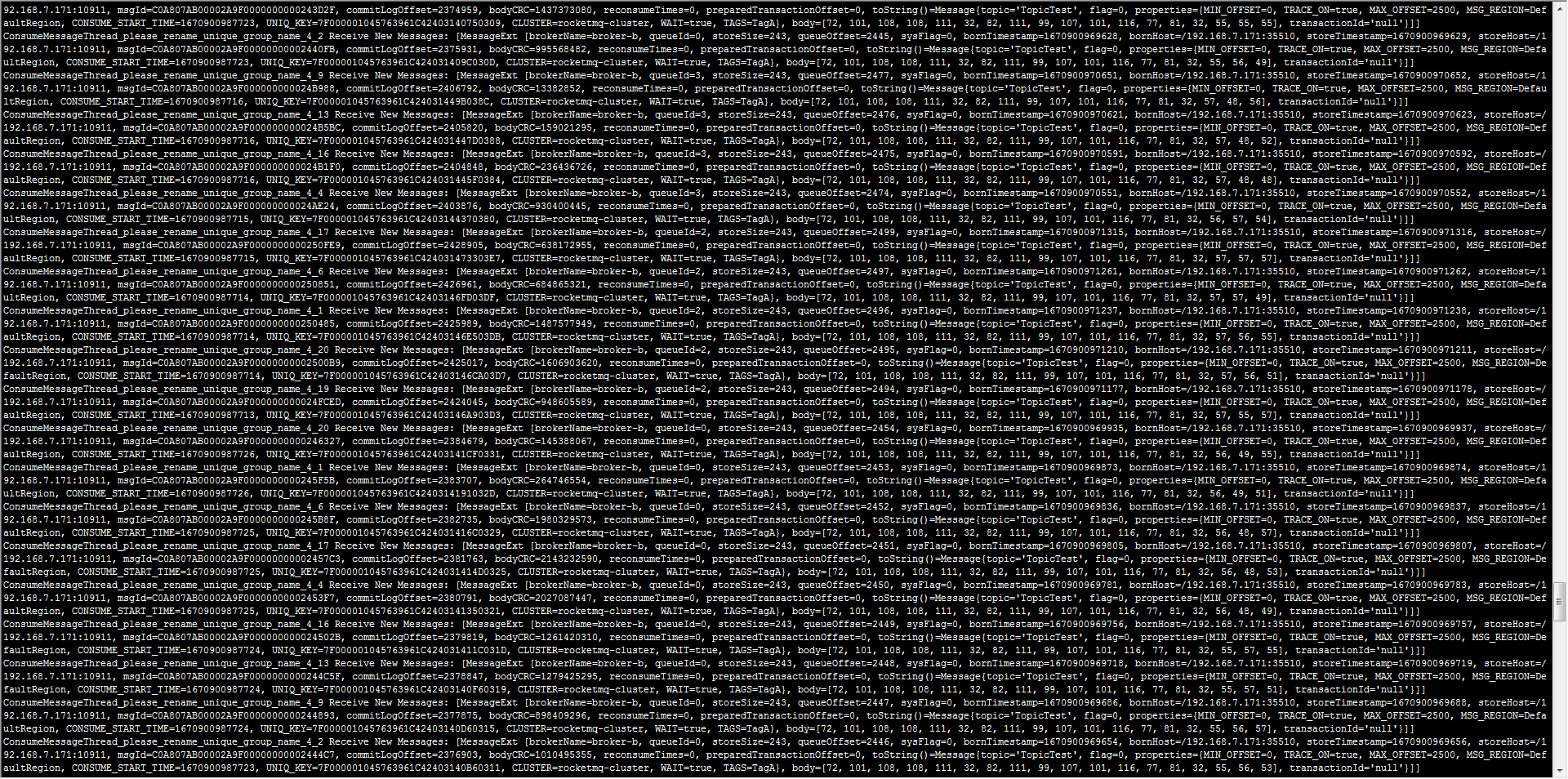
出现以上刷屏 就正常启动成功了
测试稳定了 可以编写启动脚本
192.168.7.161脚本
export NAMESRV_ADDR=192.168.7.161:9876
sleep 10
nohup sh bin/mqnamesrv &
sleep 10
nohup sh bin/mqbroker -n 192.168.7.161:9876 autoCreateTopicEnable=true -c conf/2m-2s-async/broker-a.properties &
sleep 10
nohup sh bin/mqbroker -n 192.168.7.161:9876 autoCreateTopicEnable=true -c conf/2m-2s-async/broker-b-s.properties &
sleep 10
sh bin/tools.sh org.apache.rocketmq.example.quickstart.Producer
sleep 10
sh bin/tools.sh org.apache.rocketmq.example.quickstart.Consumer
192.168.7.171脚本
export NAMESRV_ADDR=192.168.7.171:9876
sleep 10
nohup sh bin/mqnamesrv &
sleep 10
nohup sh bin/mqbroker -n 192.168.7.171:9876 autoCreateTopicEnable=true -c conf/2m-2s-async/broker-b.properties &
sleep 10
nohup sh bin/mqbroker -n 192.168.7.171:9876 autoCreateTopicEnable=true -c conf/2m-2s-async/broker-a-s.properties &
sleep 10
sh bin/tools.sh org.apache.rocketmq.example.quickstart.Producer
sleep 10
sh bin/tools.sh org.apache.rocketmq.example.quickstart.Consumer